Python · Proprietary · v1.1.3
agentcents sits between your agent and any LLM. Before each call it forecasts the cost as an honest p50→p90 range on every candidate model — priced live, ranked by real capability scores — tracks every cent you spend, and proves its own forecasting accuracy on a calibration page. Point your client at it. Change nothing else.
No API keys · No accounts · No code changes required
The problem
Most agents pick one frontier model and use it for everything — classifying, retrieving, the hard reasoning step, the trivial cleanup step. The easy steps don't need a frontier model. You're paying Opus-4.8 prices to decide whether a message is a question or a complaint.
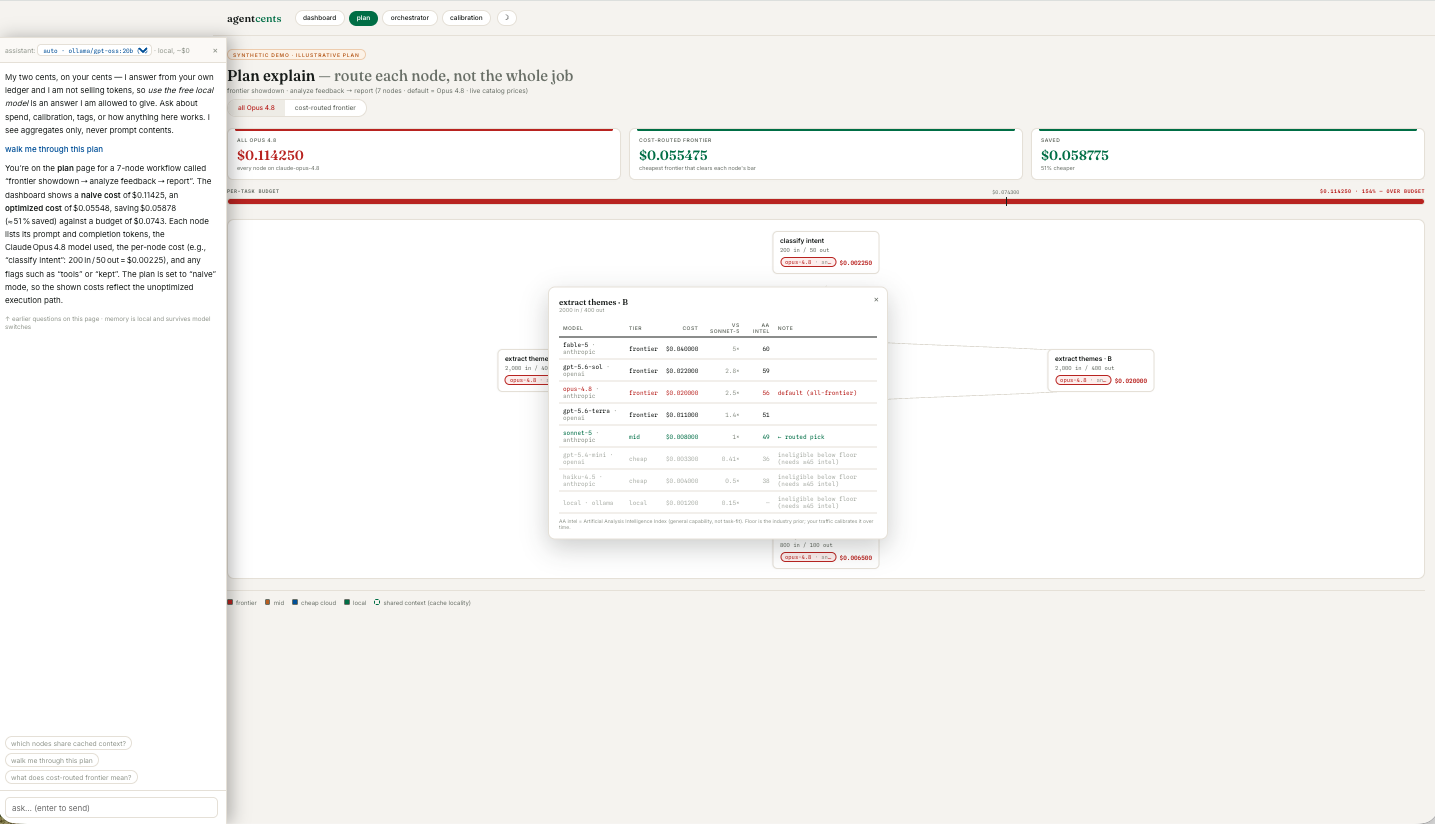
agentcents shows you, per step, what you pay and what you could pay — then routes each step to the cheapest model that clears the bar. In a typical 7-step task: all-Opus-4.8 $0.114 → cost-routed $0.055, 51% cheaper — keeping the flagship only where the work demands it.
How it works
Install once. Works with Python ≥ 3.9.
Start the local proxy. Once per session.
One base_url — or agentcents run -- your-cmd. No code changes.
See exactly where every cent went.
Quick start
# Wrap your run — agentcents sets the base URLs,
# groups the run into one session, and gets out of the way.
# Your agent code is untouched.
$ agentcents run -- python my_agent.py

# Or, if you'd rather set it yourself — one env var:
$ export OPENAI_BASE_URL="http://localhost:8082/openai"
$ python my_agent.py

# Or one line in code:
from openai import OpenAI
client = OpenAI(base_url="http://localhost:8082/openai")
# everything else stays exactly the same
Already setting your own session or tag headers? agentcents recognizes the common ones (X-Session-ID, X-Request-ID, and more) automatically. The proxy adapts to your client — never the other way around.
CLI reporting
New in v1.1.3
Cost tools that auto-route on day one ask you to trust an estimator you've never seen graded. agentcents does it in the order an engineer would.
Every candidate model priced before the call runs — measured input, output as an honest p50→p90 range learned from your own traffic. Rank-flips inside the range are flagged unstable, never hidden.
Every call silently logs forecast vs actual. Coverage gauges, q-error, one candle per call — the estimator graded in public, on your workload.
Per-node routing decisions behind five gates — robustness, quality floor, tool-use, provider boundary, and trust: binding requires the calibration page to prove the forecasts first. Advisory today, by design.
A neutral cost guide on every page. Runs on your own local model (~$0/answer, metered in your own ledger), sees aggregates never prompts — and it's allowed to say "use the free local model," because it isn't selling tokens.
New · works with Claude
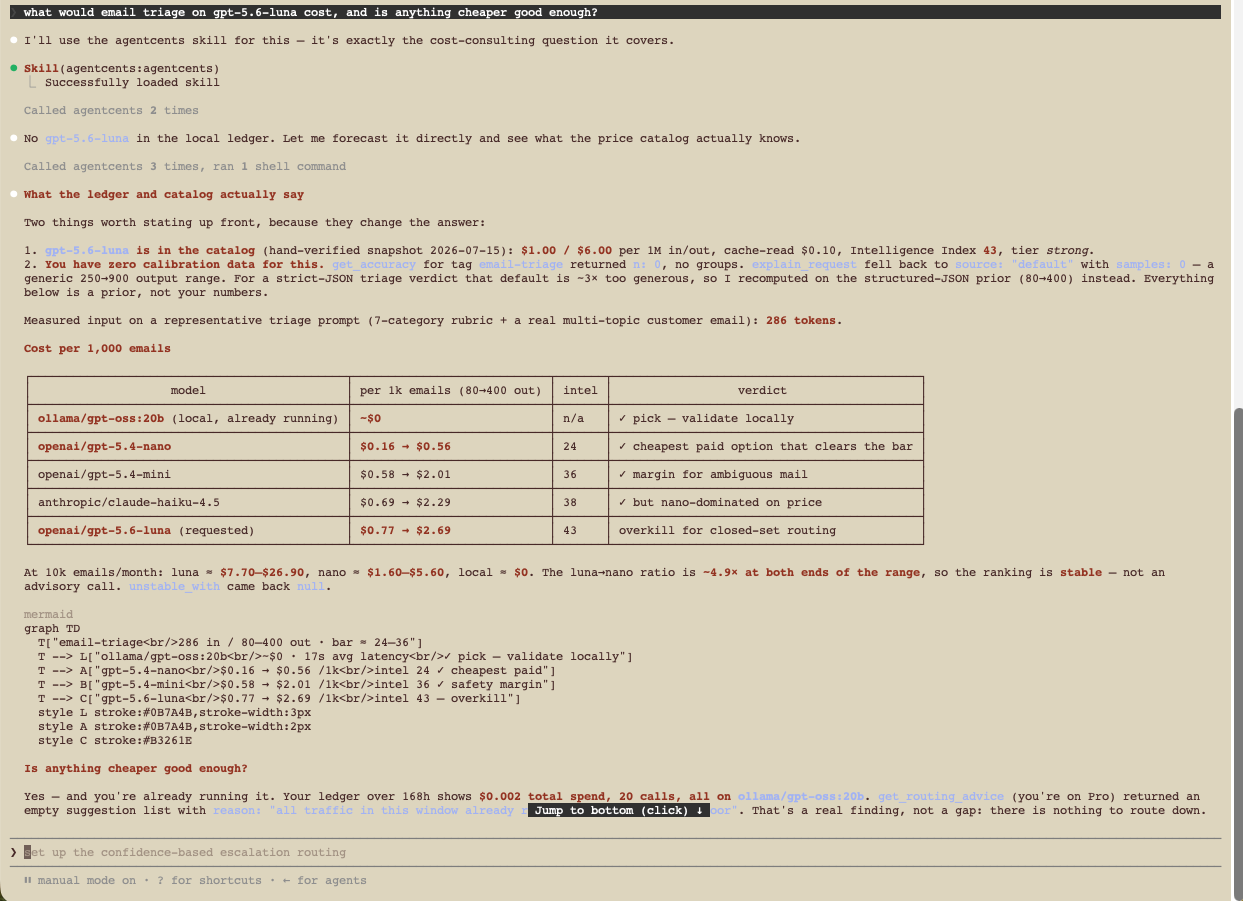
Two commands in Claude Code. Then just ask, in plain language — Claude prices every candidate model against your own ledger, before you spend.
# the cost skill — free, no install of agentcents required
/plugin marketplace add labham-llc/agentcents-skill
/plugin install agentcents@labham-skills

# optional: give Claude live tools over your own ledger
claude mcp add agentcents -- agentcents mcp
click to view full size
A per-model table with honest low→high ranges, the cheapest model that clears the task’s capability bar, and a Mermaid comparison — rendered right in the chat.
Reads your local ledger through MCP. Spend by model and tag, zero errors, aggregates only — your prompt contents are never sent anywhere.
p90 coverage against its 90% target, q‑error against 1.00, and a straight verdict: calibrated, slightly overconfident, or not enough data to trust yet.
The run reconstructed step by step with per‑node costs and cheaper alternatives — plus a link straight into your local dashboard for the rendered version.
Everything runs on your machine. The skill works with no account and no API key; the live tools read the ledger agentcents already keeps. Using claude.ai in the browser instead? Download the skill file → and add it under Settings → Capabilities → Skills. Source →
Pricing
agentcents explain) + calibration pageSupported providers
Pricing syncs automatically on proxy startup from OpenRouter + LiteLLM. No manual updates needed.