rasik

A remote
you can talk to.

Say what you'd like to watch, like "CNBC", "something for the kids" or "what do I usually watch on Sunday?", and Rasik puts it on. It finds every TV in your home, knows every app and channel on them, and remembers what worked.

Free for 14 days, then $1.99 once. Works with Roku and Google TV. On iPhone now; Android phones very soon.

What Rasik is
Your voice, your TVs, one remote.

Most voice remotes take fixed commands and work with one TV. With Rasik you just talk, to any TV in the house. It learns your home the first time you open it, and learns you a little more every time you use it.

Talk to it

Ask for a channel, an app, a show or just a mood, the way you'd say it to someone on the couch. Rasik answers in a sentence and does it. Not quite right? Say so, or tap what you said and fix it.

Know your whole home

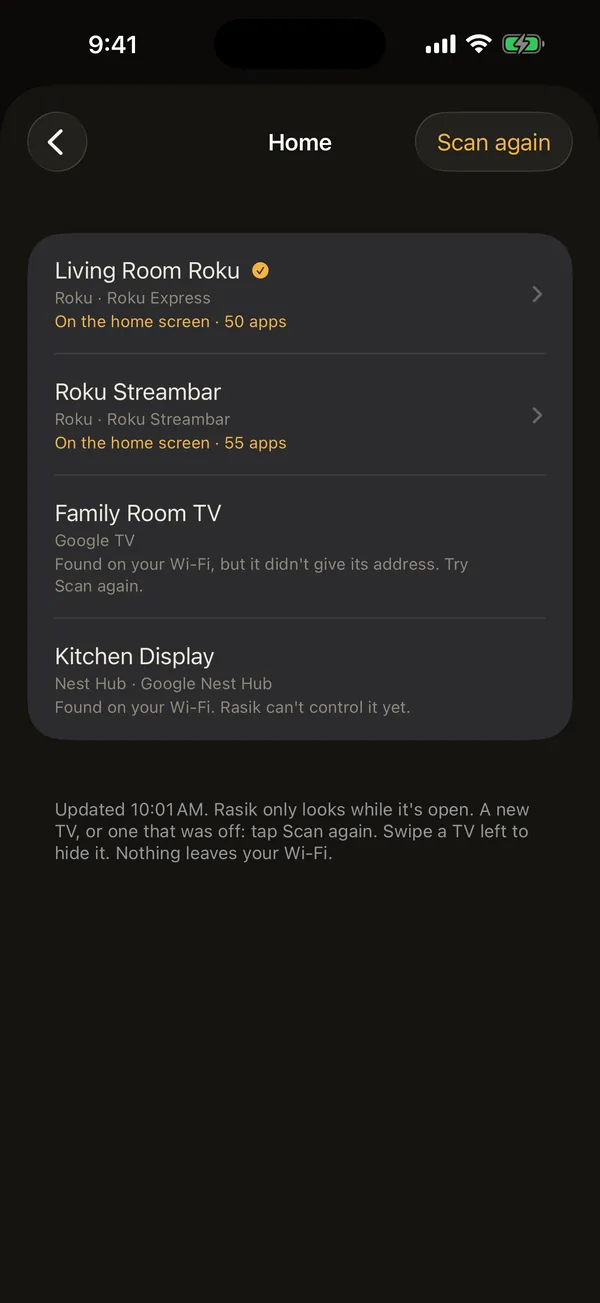
Rasik scans your Wi-Fi and builds an inventory: every Roku and Google TV, what each one needs, what's on its screen, every app installed, your local stations and the channels in YouTube TV.

Still a real remote

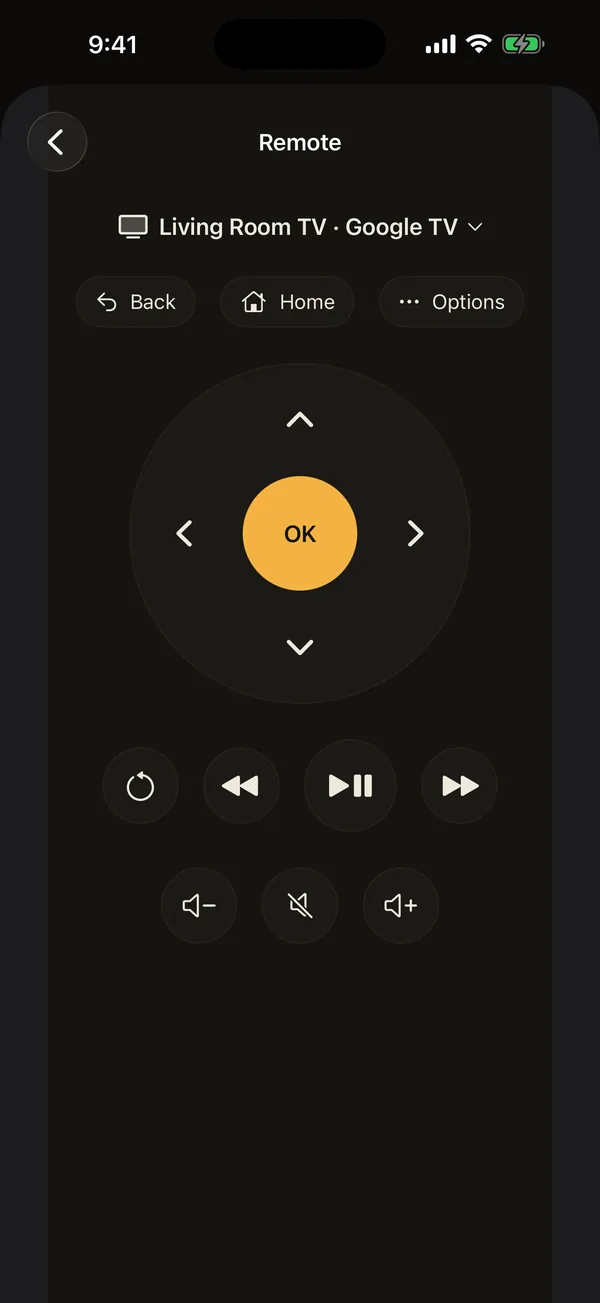
Arrows, OK, play, volume, back and home, whenever you'd rather tap. Or just say "pause", "louder", "go back". What worked becomes a one-tap shortcut.

Tutorial · the first minute
Open it once. It sets itself up.

The first time you open Rasik, it walks you through five short screens. Here they are, so you know what to expect. You can run setup again any time from the menu: ☰ → Set up Rasik.

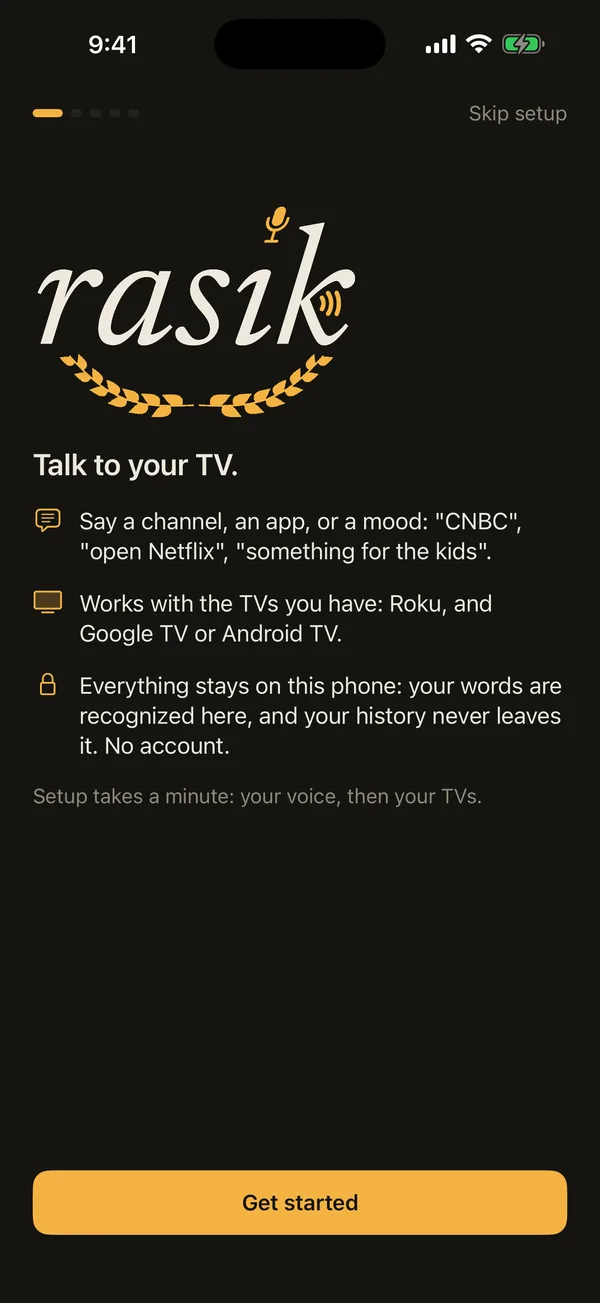
Rasik's welcome screen: Talk to your TV.
1

Welcome

Rasik says what it is in three lines: say a channel, an app or a mood; it works with the TVs you already have; and everything stays on your phone. Your words are recognized on the phone, your history never leaves it, and there's no account to make.

2

Your voice

Rasik asks for the microphone and speech recognition. It listens only when you tap the mic, and your words are turned into text on the phone itself; nothing is sent anywhere.

Rather not talk? You can type everything instead, and allow the mic later in Settings.

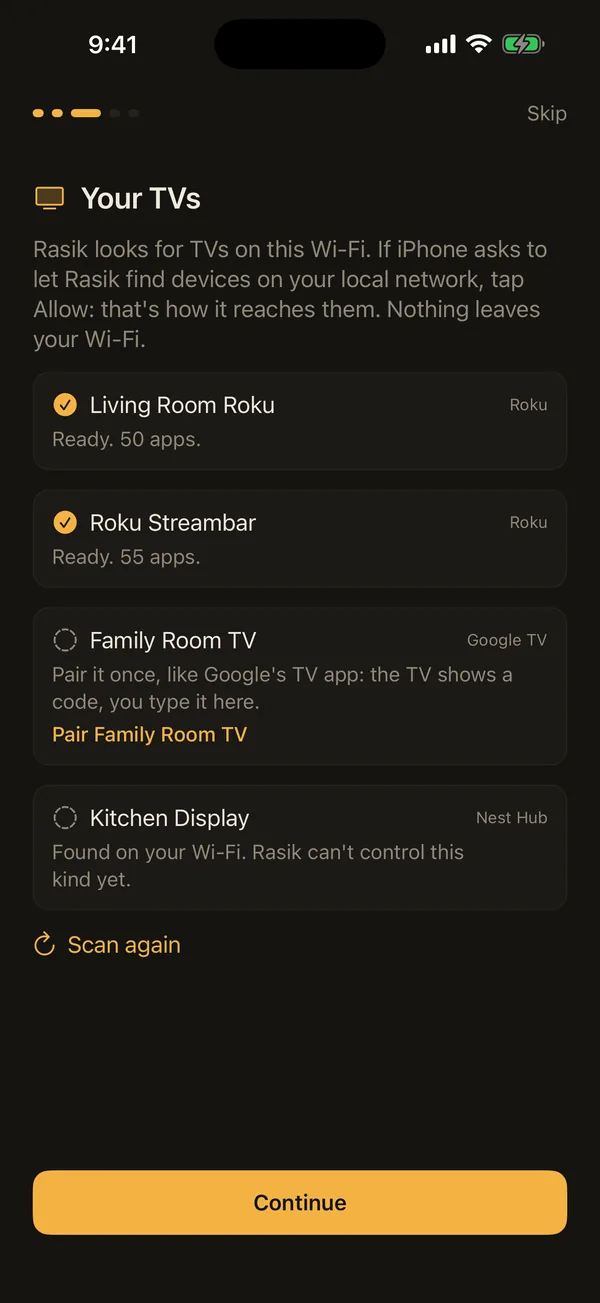
Your TVs: two Rokus ready with 50 and 55 apps, a Google TV to pair, a Nest Hub found.
3

Your TVs

Rasik looks around your Wi-Fi and lists what it finds, each with what it needs. Rokus are ready right away, with their apps counted. A Google TV pairs once: it shows a code on the screen and you type it in, just like Google's own TV app. Speakers and displays it can't drive yet are listed too, so you know it saw them.

If your phone asks to let Rasik find devices on your local network, tap Allow. That's how it reaches your TVs, and nothing leaves your Wi-Fi. No TV around? A Demo TV lets you try everything.

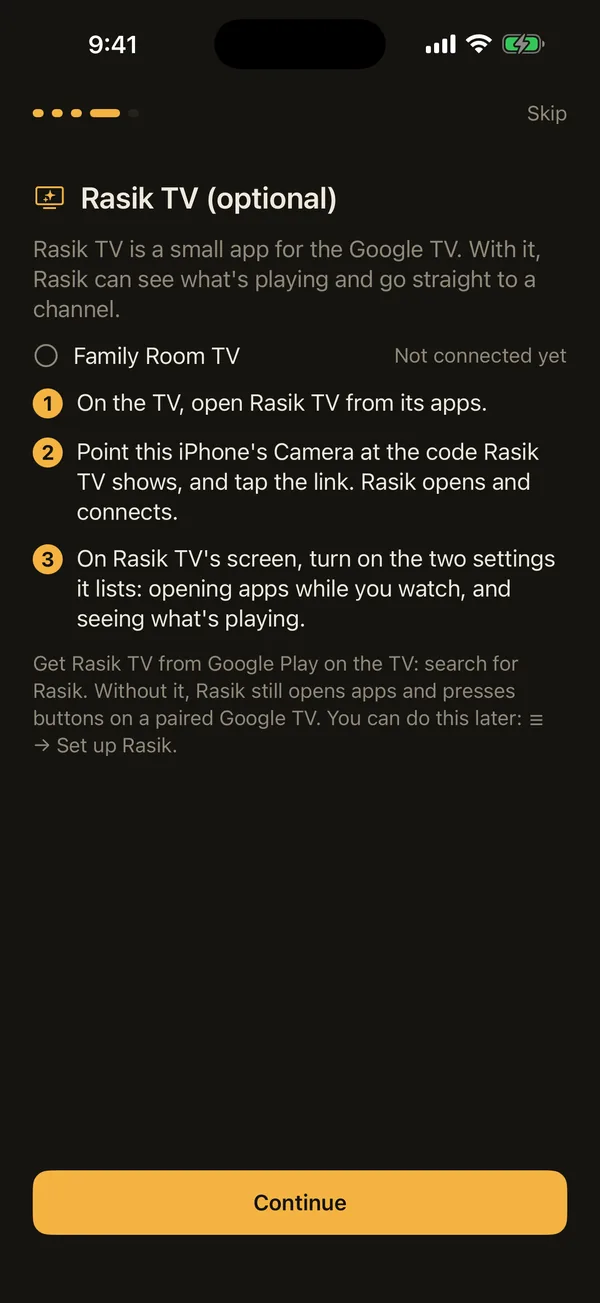
Rasik TV (optional): three steps to connect it on a Google TV.
4

Rasik TV, for Google TV (optional)

Rasik TV is a small free app for the Google TV itself. With it, Rasik can see what's playing and go straight to a channel instead of just opening the app.

Open Rasik TV on the TV, point your phone's camera at the code it shows, and turn on the two settings it lists. That's it.

Without Rasik TV, Rasik still opens apps and presses buttons on a paired Google TV. Rokus don't need anything extra.

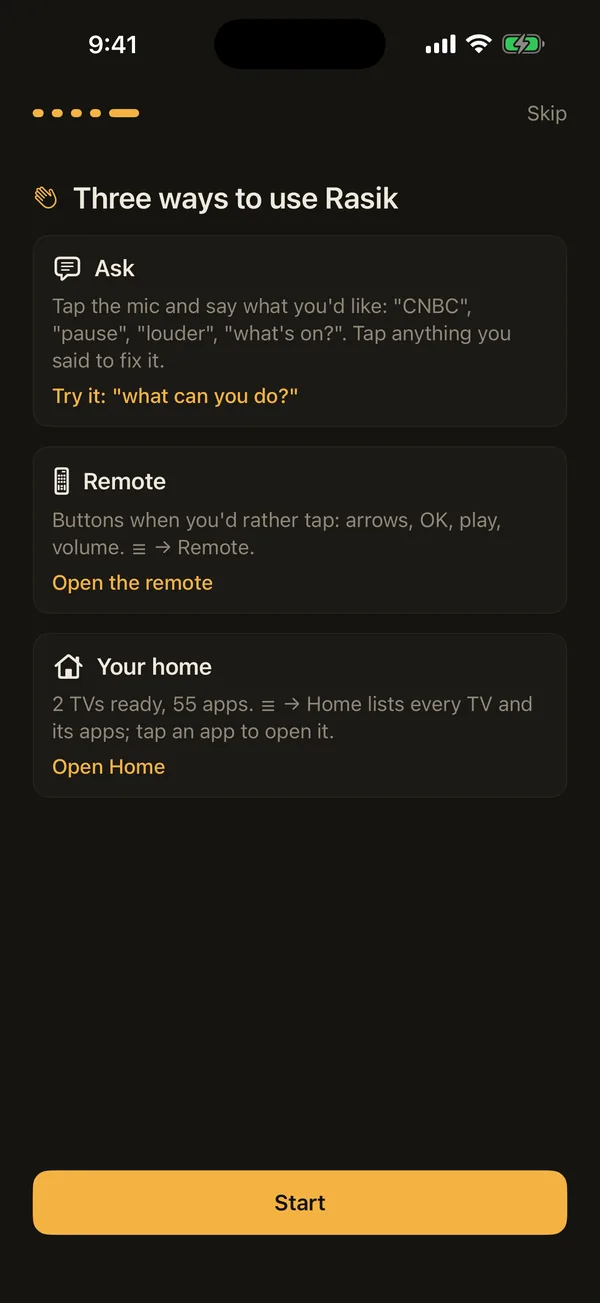
Three ways to use Rasik: Ask, Remote, Your home.
5

Three ways to use it

Ask: tap the mic and say what you'd like. A good first one is "what can you do?"

Remote: buttons when you'd rather tap.

Your home: every TV and its apps, ready to tap.

Tap Start, and you're watching.

Every TV. Every app. Every channel.

Rasik keeps an inventory of what's in your home, so you never have to remember which TV has which app, or where your local station is.

  • 1

    Home: every device on your Wi-Fi

    Each TV with its kind and model, whether it's ready, what's on its screen right now and how many apps it has. Tap Scan again after you add a TV; swipe one away to hide it.

  • 2

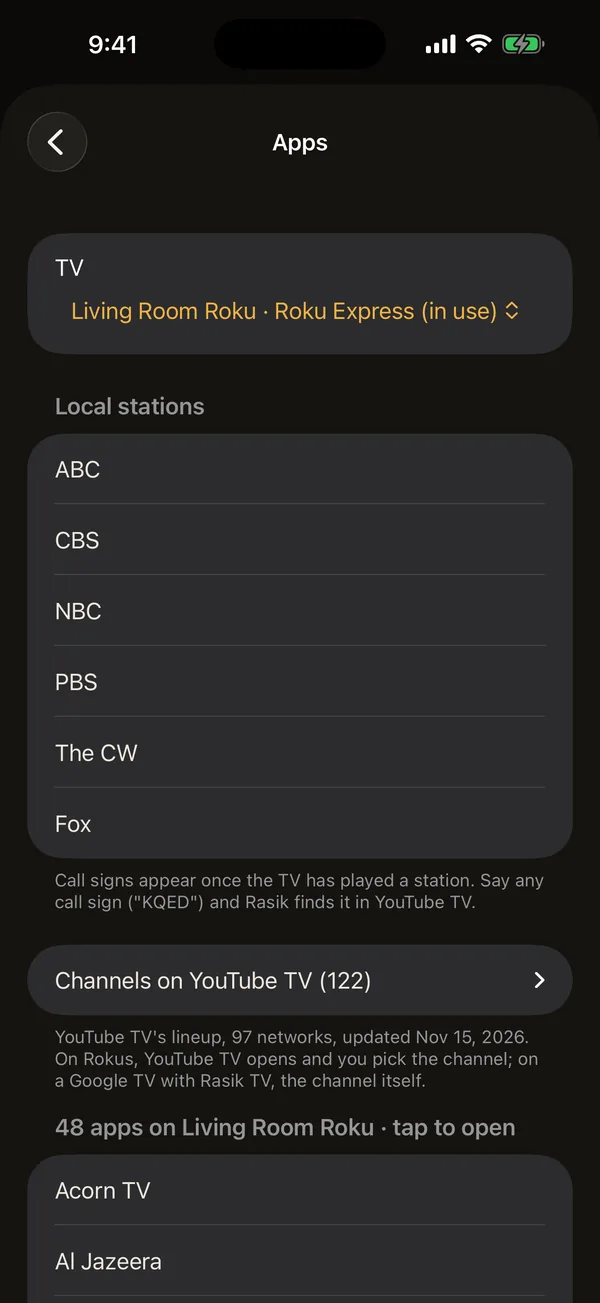
    Apps: everything on each TV

    Every installed app, listed by TV. Tap one to open it, or just say its name.

  • 3

    Channels, not just apps

    With YouTube TV, Rasik knows the whole lineup and your local stations by name and call sign. Say "NBC" or "KQED" and it goes there.

Things to say
Say it the way you'd say it.

There's no list of commands to learn. These are just to get you started.

Put something on

play CNBCopen Netflixis there anything good for the kids tonight?put on the first oneFox

While you watch

pausea little loudergo backmutego home

Ask it things

what can you do?what's on?what do I usually watch?what channels do I have?find my TVs
Inside the menu
It remembers what worked.

Everything here lives on your phone and nowhere else.

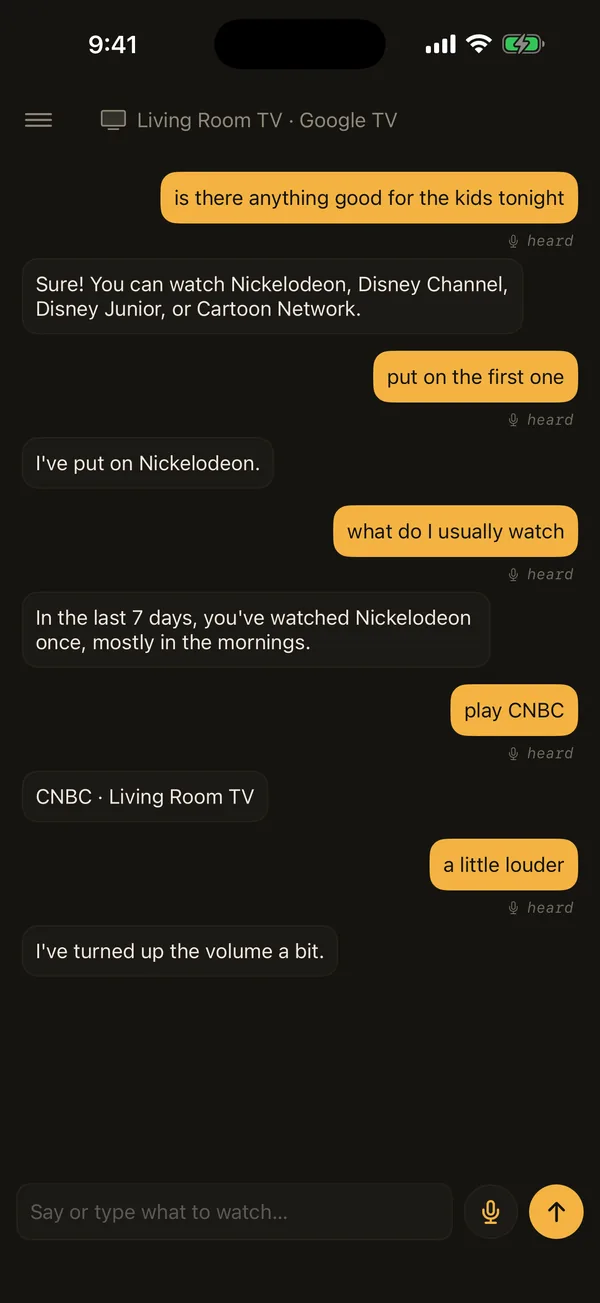
A conversation: kids' channels suggested, Nickelodeon put on, CNBC played, volume raised.
ConversationRasik answers in a sentence and acts. Follow up with "the first one" and it knows what you mean.
The remote: arrows, OK, playback and volume.
RemoteA full remote for whichever TV you pick.
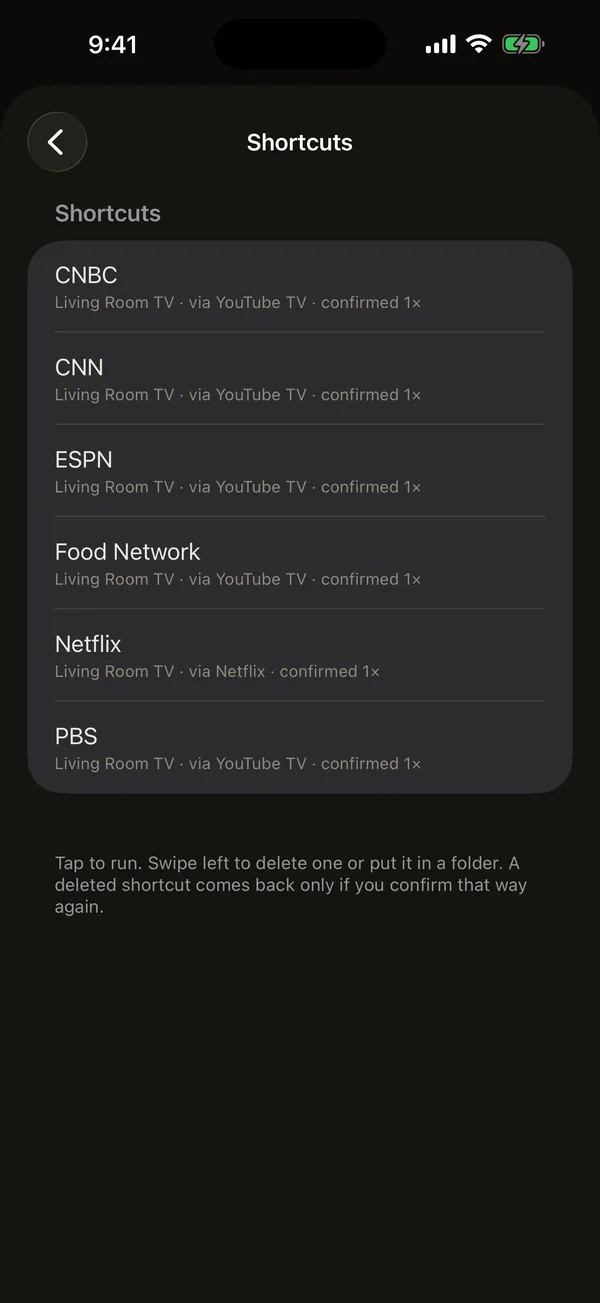
Shortcuts: CNBC, CNN, ESPN, Food Network, Netflix, PBS.
ShortcutsEach way that worked becomes a one-tap shortcut, with the TV and app it used.
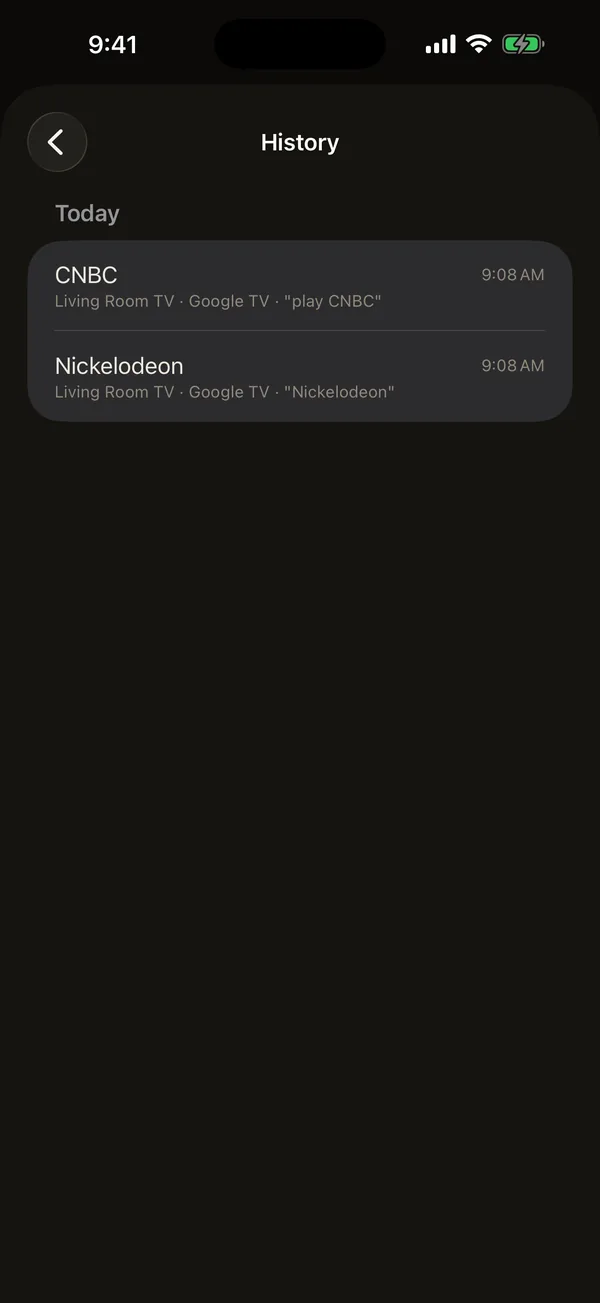
History: what played today and when.
HistoryWhat played, by day, so "what do I usually watch on Sunday?" has an answer.
For the fan on the couch.

In India's arts, rasa is emotion: the feeling a story, a song or a dance awakens in the people watching it. The old texts name nine, the navarasa: love, laughter, sorrow, anger, courage, fear, disgust, wonder and peace. A rasika is the one who feels them: the listener moved by a raga, the viewer who laughs and cries along with the screen, the person every performance is really for.

Today the word has gone to the movies. Across India a rasika is a fan of a singer, a film or a star, and in the south, film stars' fan clubs are called rasigar mandrams, the rasikas' associations. Rasik is built for that person: the fan on the couch, who knows exactly what they're in the mood for and would rather say it than hunt for it.
Price
Try everything. Then buy it once.

Free trial

14 days

Every feature, on every TV, from the first day. The trial costs nothing and never turns into a charge.

Unlock

$1.99

One purchase, yours for good. No subscription, no account, no ads. Restores on a new phone. Rasik TV is free.

Conversation uses the phone's own on-device model: Apple Intelligence on iPhone, Gemini Nano on Android phones that have it. Commands work on every supported phone (iOS 26 or later; Android 12 or later).

Support
We're here.

Setting up

Your phone and TV need to be on the same Wi-Fi. On a Roku, Settings → System → Advanced system settings → Control by mobile apps should be on (it is by default). Something missing? Open ☰ → Home and tap Scan again.

Read the tutorial →

Privacy

Speech is recognized on your phone, conversation runs on its on-device model, and your history never leaves it. Rasik never asks for your streaming passwords; each service's own app keeps those.

Privacy policy →

Contact us

A TV Rasik can't find, a channel it got wrong, or an idea? Write to us and we'll get back to you.

Contact →

Rasik is not affiliated with Roku, Google or YouTube. Channel and app names belong to their owners. App Store is a service mark of Apple Inc. Google Play is a trademark of Google LLC.